You can control who sees the form when it is in widget mode from Settings > Targeting.

If you click on the + Add rule button next to Show for or Hide for you will find plenty of targeting options to choose from.
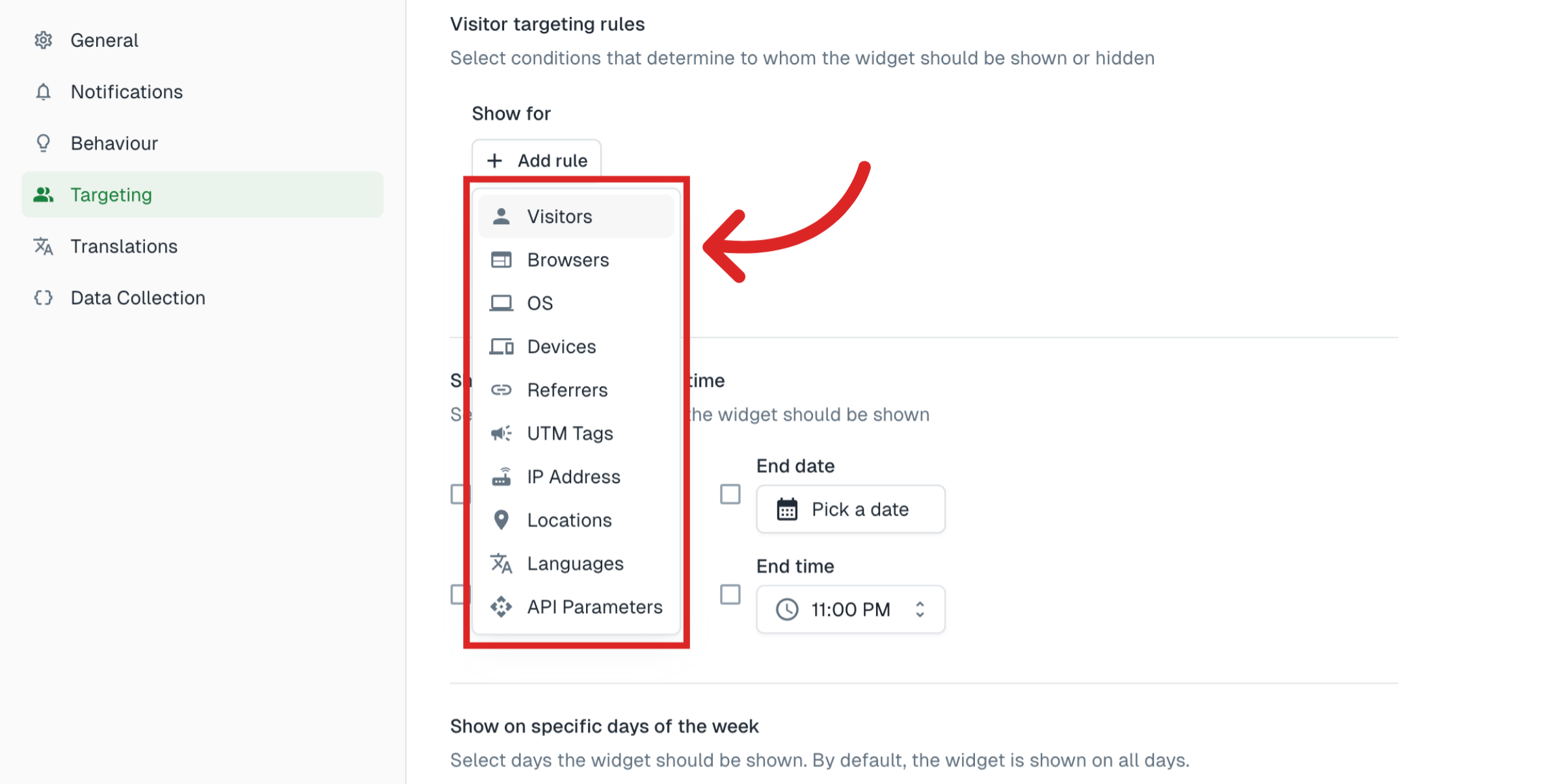
These include the ones shown below. These will be available under both Show for and Hide for and you can set them as you see fit.
Let's look at a few examples:
Example A
The following targeting options will limit the form to users from 3 countries. Also, it will be visible to users who have visited the website at least 3 times. Both conditions must be satisfied for the form to be displayed.
Example B
Here, the form will be visible to users who have visited the website at least twice. Also, users browsing from only Chrome, Safari, and Firefox browsers will be able to see the form. Both conditions must be true for the form to be visible.
The form will not be visible to users who have already completed it.
Example C
With the following settings, the form will be visible only if the user visited your website from social networking sites like Facebook, Twitter, Youtube, and Instagram. If they are visiting your site directly, the form will not be visible. Also, two UTM parameters (as shown) are mandatory in this case.
If a user is browsing from a Linus/Unix os, the form will be hidden.
When both these UTM parameters are present, the referrer conditions are satisfied and user is not browsing from a Linux/Unix system, only then the form will be made visible.
Note
This setting is only available for the form when it is used as Widget. It is not applicable when used as Embed or Link.
Tip
Don't forget to publish your changes before testing.
Still need help?
Contact us