You can share every Collectchat chatbot in three different ways: as a Website widget, as a Link, or as an Embed. You don't need to choose one when you create the chatbot. The same chatbot can be used all three ways at the same time.
Go to the Share tab of your chatbot. Under Share as, choose how you want to share it and you will see the code or link for that option.

Website widget
Widgets are the most popular way to deploy chatbots. They appear on your website as avatars and expand upon clicking the avatar.

A chatbot widget can serve as a website assistant and efficiently gather leads on your website while using minimal space. Choose Website widget under Share as and copy the code snippet to add it to your website.
When you're using your chatbot as a widget, you have access to advanced behavior and targeting features.
Link
Link lets you use your chatbot as a full-page chatbot and share it as your landing page.
This is useful when you want to share your chatbot on social media, or use it in your email and SMS campaigns. When someone opens the link, the chatbot will take up the full webpage and start the interaction.
Choose Link under Share as to copy your page link. You can also set up a custom domain here.
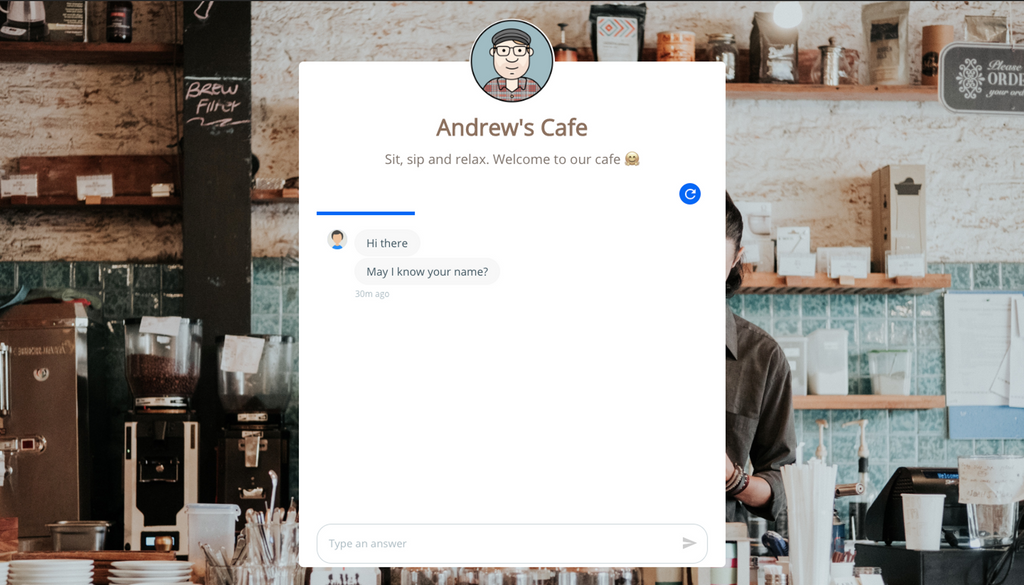
Embed
With Embed, you can embed the chatbot anywhere inside your web page or even inside your blog articles. It seamlessly integrates with your design, allowing user interaction without the need to open a new tab.
Choose Embed under Share as to copy the embed code.
Note
You can use the same chatbot in all three ways at once. For instance, after adding the widget code to your website, you can also share the Link on social media and embed the chatbot inside a blog post. There is no setting to switch between them.
Still need help?
Contact us