Trigger a form using URL method
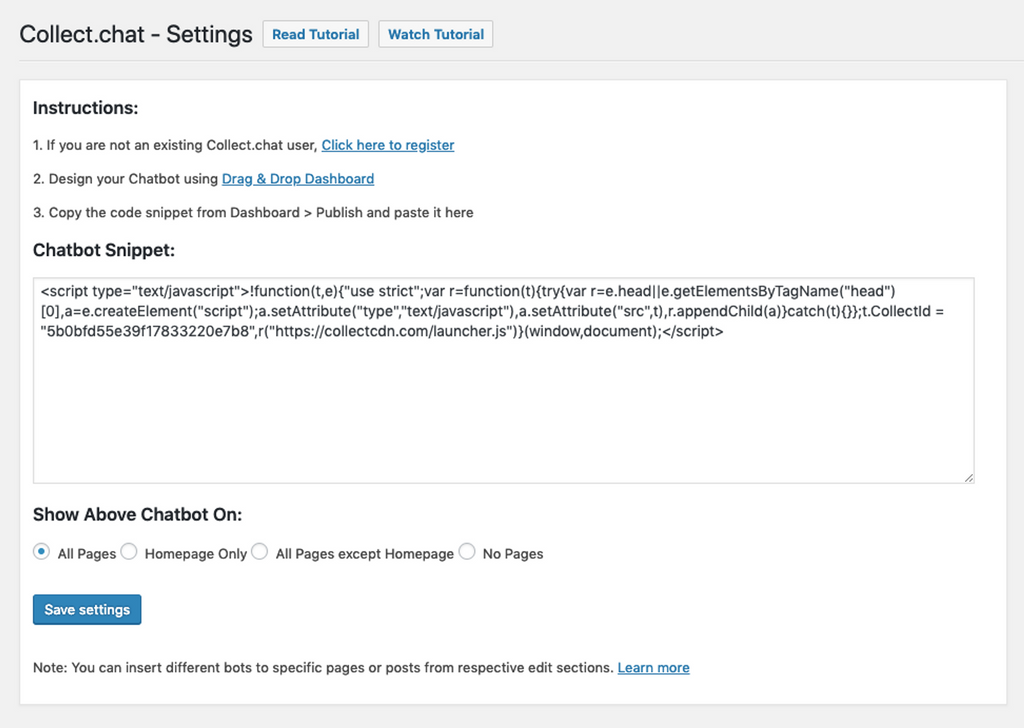
You can trigger a chat widget whose snippet code has been added via the plugin using the following method. You simply need to add #collectchat to any link or button from which the user may wish to interact with the form. For example:
<a href="#collectchat">Open Chat</a>Make sure the snippet code of the form you want to open is added in the plugin settings.
Tip
You may choose to completely hide the form as well. For this, go to Settings > Behavior and select Custom button only for widget button.
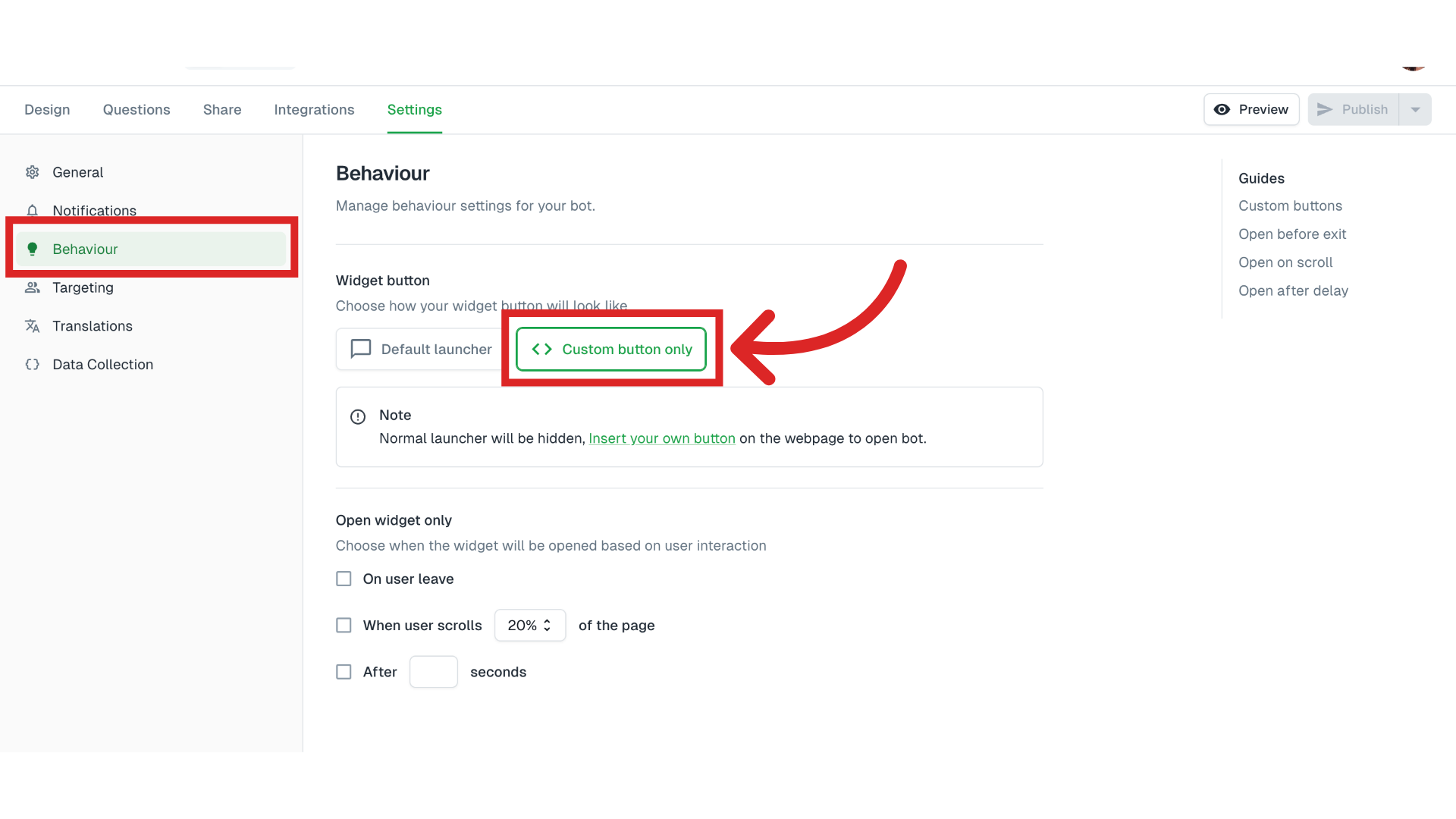
This way users will only see the chat widget when they click the link or button you added to the page.
Was this article helpful?
Still need help?
Contact us