Every paid account in Collectchat offers you unlimited forms. So you can create a form from scratch or start from one of our templates.
Here are the steps to add a different form on different pages of your website using your WordPress plugin.
Copy the Code Snippet
Login to your Collectchat account and go to Settings > General and make sure Form type is selected as Widget.
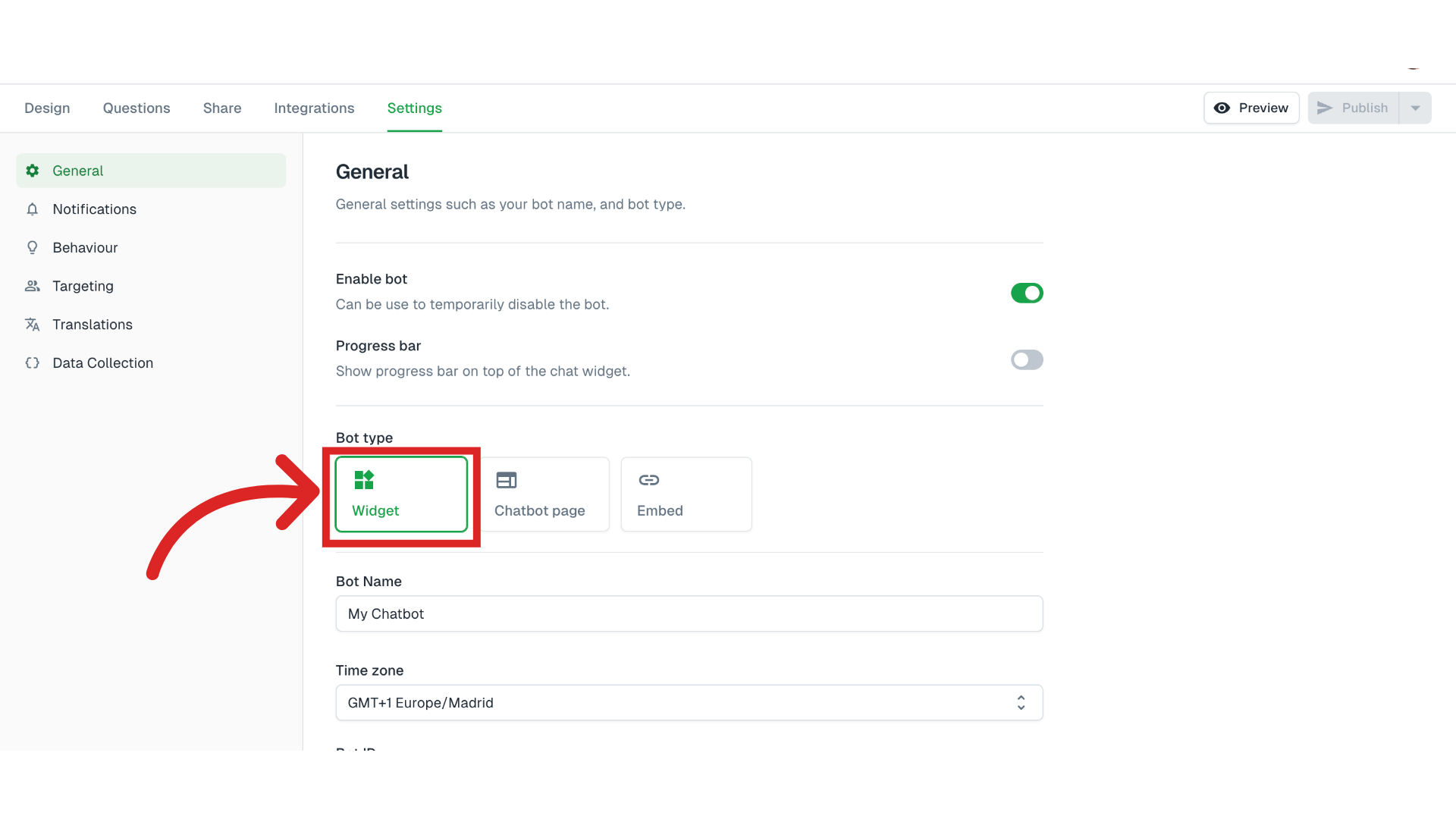
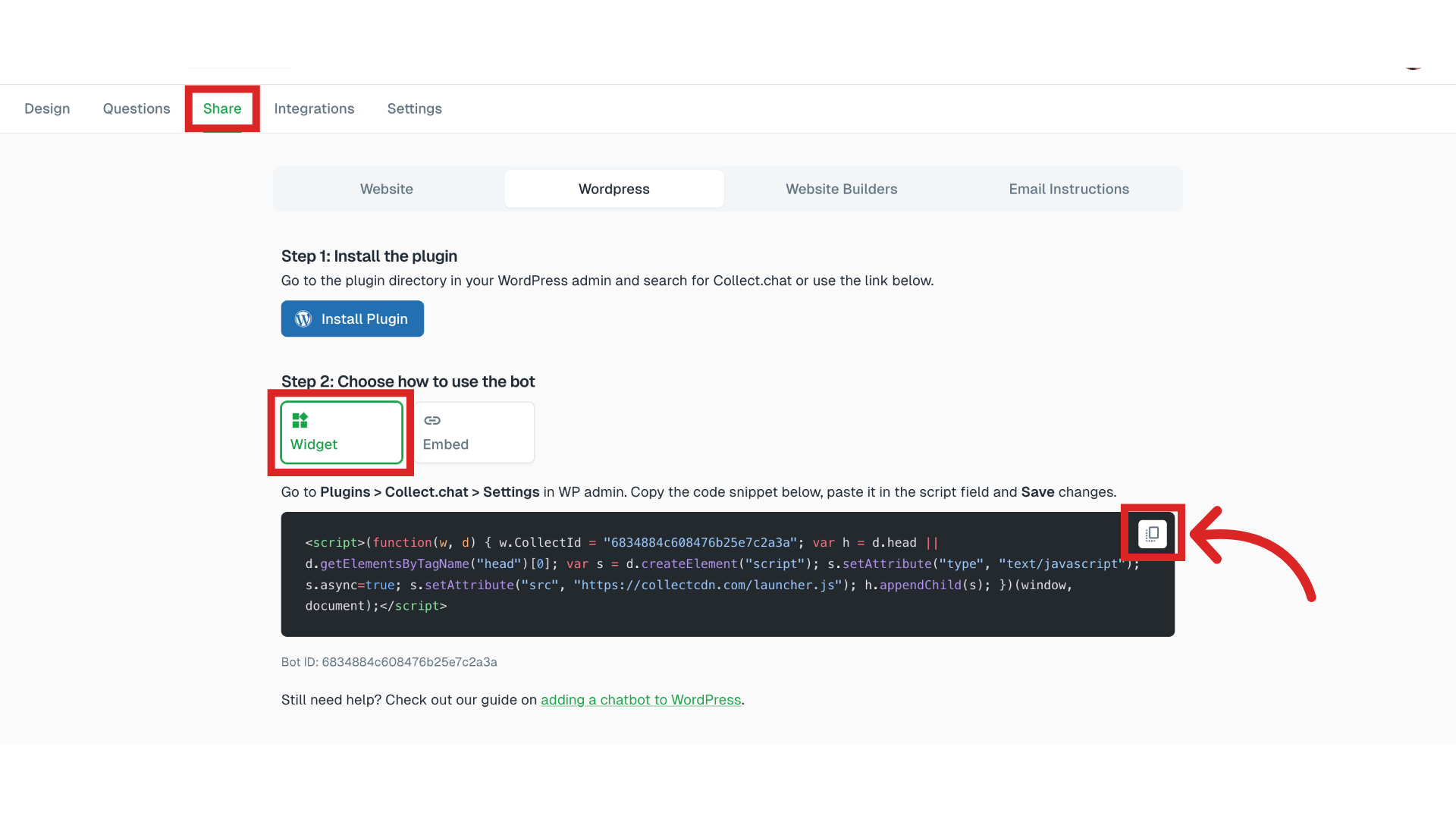
Then go to Share and choose WordPress > Widget. Copy the code snippet.
Select the post or page
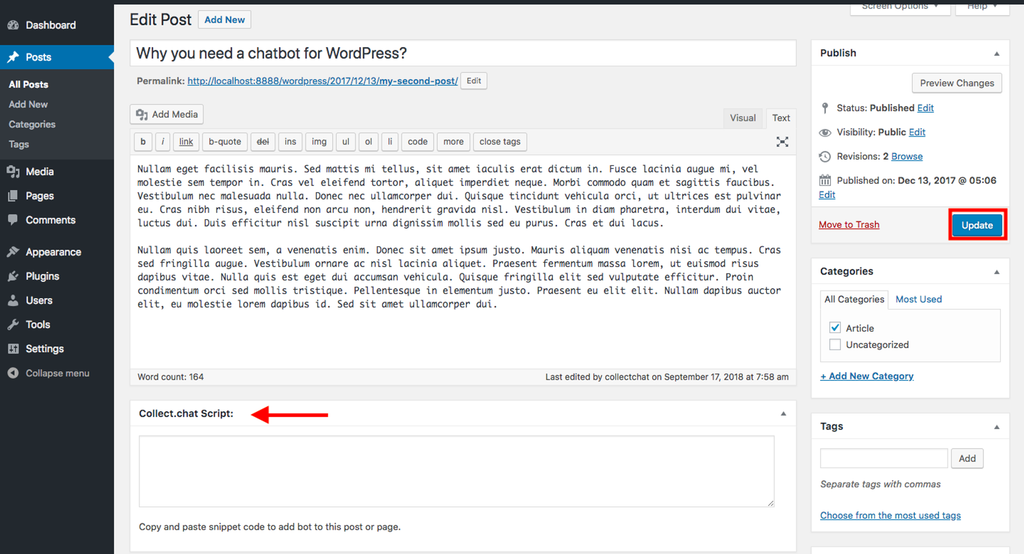
Go to your WordPress dashboard. Ensure that the plugin is installed and active. Now select the page or post where you want to add the new form and click on Edit.

Paste the Code Snippet
Scroll to the bottom of the post/page and add the code snippet of your form in the space provided and click on Update.
Note
If you have already set up a main form on your WordPress website by following the instructions here, then remember that the new form code snippet will override the main form on the page/post that you have selected.
Still need help?
Contact us